Wacom Intuos macOS Driver
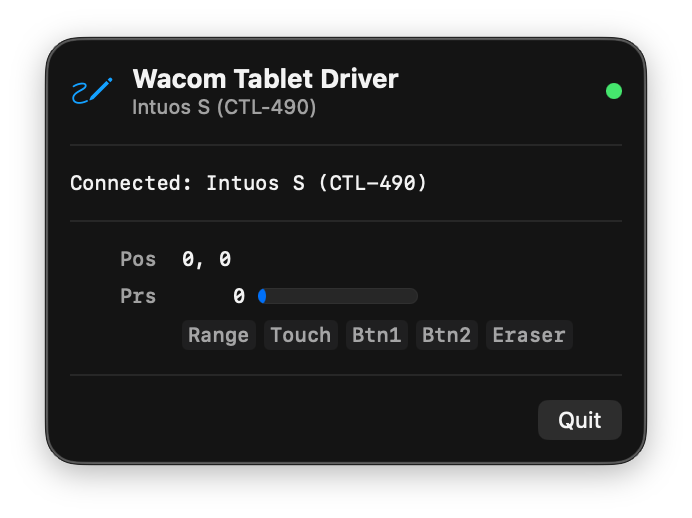
A native menu bar app that brings full pressure sensitivity to your Wacom Intuos tablet on modern macOS. No kernel extensions, no SIP changes.
Pressure Sensitivity
2048 levels of pressure via native macOS tablet events. Works with Krita, Photoshop, Clip Studio, and other drawing apps.
Menu Bar App
Lives in the menu bar, out of the way. Starts automatically, runs silently in the background. No dock clutter.
No SIP Changes
No kernel extensions, no System Integrity Protection changes, no reboot required. Just download, open, and draw.
Hot-Plug Support
Automatically detects when you plug in or unplug your tablet. Supports all Intuos 2nd gen models.
Install
Download
Get the latest .dmg from GitHub Releases.
Drag to Applications
Open the DMG and drag Wacom Tablet to your Applications folder.
Grant Permissions
On first launch, grant Accessibility and Input Monitoring access when prompted in System Settings.
Draw
Plug in your Wacom tablet and open your favorite drawing app. Pressure works immediately.
Supported Devices
| Model | Product | Status |
|---|---|---|
| CTL-490 | Intuos S (2nd gen) | Supported |
| CTH-490 | Intuos S Touch (2nd gen) | Supported |
| CTL-690 | Intuos M (2nd gen) | Supported |
| CTH-690 | Intuos M Touch (2nd gen) | Supported |
Requirements
| Requirement | Details |
|---|---|
| macOS | 13.0 Ventura or later |
| Connection | USB |
| Permissions | Accessibility + Input Monitoring |
| Architecture | Apple Silicon (arm64) |